
How Sales Reps Are Using Real-Time AI to Handle Objections on Live Calls
Post-call AI tools tell you what went wrong. Real-time AI coaching tells you what to say before you lose the deal. Here's how top sales teams are building that edge into their workflow.
Most sales training focuses on what to do after the call. Record it, review it, tag the objections, build a playbook. Useful, no question. But the call is already over — the prospect has already heard the stumble, felt the pause, made their first impression.
Real-time AI coaching changes that dynamic. Instead of reviewing what went wrong after the fact, reps get instant, in-context suggestions during the conversation itself. The right response to "your price is too high" or "we already have a solution" surfaces in seconds — before the silence stretches long enough to cost you the deal.
Here's how it actually works, what's driving adoption among high-performing teams, and the numbers that tell you whether it's making a difference.
Post-Call Analysis vs. Real-Time Coaching
Tools like Gong and Chorus built their businesses on post-call intelligence. Record the call, transcribe it, surface patterns across thousands of conversations. Monologue-to-dialogue ratios, question rates, competitor mentions — it's all there after the fact. For managers doing weekly reviews or building training libraries, this is genuinely valuable work.
But post-call analysis has a structural limit: it doesn't help the rep who's on a call right now. The feedback loop is hours or days long. By the time a new hire learns what they should have said on Tuesday, they've already fumbled the same objection three more times on Thursday.
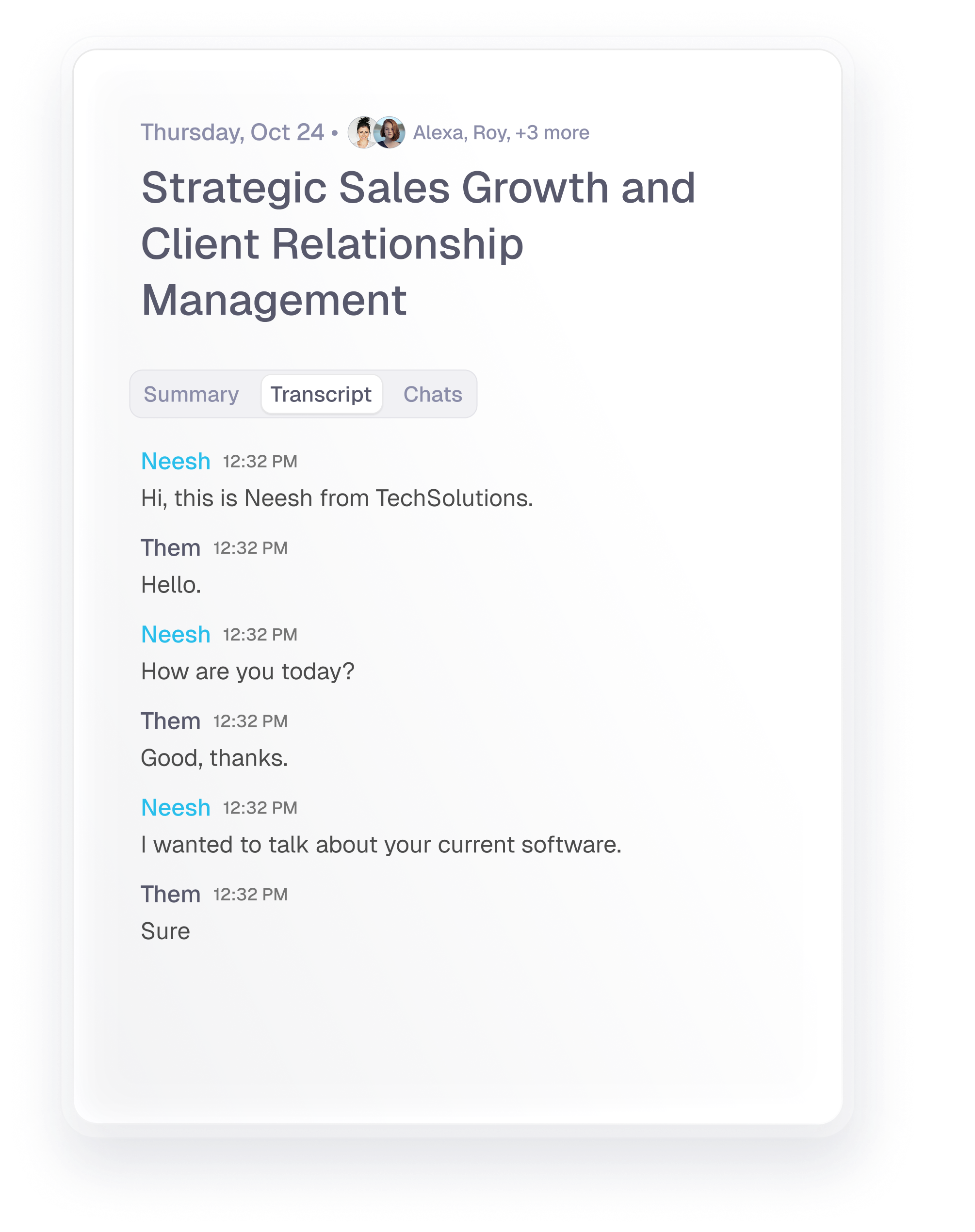
Real-time coaching works differently. It listens to the call as it happens, identifies when an objection is being raised, and surfaces a suggested response on a second screen or overlay — without interrupting the audio. The rep glances at the suggestion, decides whether to use it, and keeps the conversation moving. No pause. No "let me get back to you on that."
The Objections That Break Conversations
A few objections account for the majority of deals that stall or die. These are the five your team has almost certainly heard in the last two weeks:
- "Your price is too high" or "We can't justify the cost right now"
- "We're already using [competitor]"
- "We'll need to loop in legal, IT, or procurement first"
- "Now isn't a good time — reach back out in Q3"
- "We tried something similar before and it didn't work out"
The issue isn't that reps don't know how to handle these — most do, at some level. The issue is retrieval under pressure. In a live conversation with a skeptical prospect, the well-rehearsed objection handler often comes out flat, robotic, or just slow. The silence while your brain cycles through options reads as uncertainty to the person on the other end.
Real-time AI doesn't replace the rep's judgment. It reduces the cognitive load of retrieval so their energy goes into delivery, listening, and reading the room.
How Real-Time AI Coaching Works
The core mechanic is conversational AI running on a live transcript stream. Here's the sequence from call start to suggestion:
- The tool joins the call via a browser extension, native app, or API integration with your conferencing platform (Zoom, Google Meet, Microsoft Teams).
- It transcribes the conversation in real time, typically with under 2 seconds of latency on a stable connection.
- It detects objection signals using a combination of keyword matching and semantic classification — catching the intent, not just the exact phrase.
- It retrieves relevant content from your playbook: reframes, case studies, ROI data, competitive talking points — whatever matches this specific objection.
- The suggestion appears in a sidebar or overlay visible only to the rep, who decides what to use and what to skip.
The best implementations let managers pre-load the knowledge base with company-specific content: approved pricing rebuttals, customer proof points, competitive battle cards. The AI becomes an extension of your sales methodology rather than a generic assistant dispensing generic advice.
Getting It Into Your Workflow
Setup involves four layers, and the order matters:
- Call integration: Connect to Zoom, Teams, or Meet via bot or browser extension. Some tools integrate directly with dialers like Outreach, Salesloft, or HubSpot. Pick whichever creates the least friction for reps on day one.
- Playbook ingestion: Upload your objection-handling guides, competitive battle cards, case study library, and pricing FAQs. This is the single biggest lever on output quality — the AI can only suggest what you've given it.
- Prompt configuration: For tools that allow it, map specific keywords and phrases to specific response types. "Not in the budget" should pull different content than "we already have a solution." Granularity here pays off quickly.
- Rep onboarding: Start with new hires. The ROI case is easiest to make here because ramp time reduction is directly measurable. Experienced reps may resist; let results from the new hire cohort build the internal case before pushing broader adoption.
One thing that's easy to underestimate: if suggestions are slow, reps stop looking at them. Latency below 2 seconds keeps the tool usable. Above 4 seconds, the coaching card typically arrives after the rep has already moved on — making it noise rather than signal.
Metrics That Tell You If It's Working
Run a before/after comparison across four numbers:
- Objection-to-close rate: The share of calls where a logged objection was raised and the deal still moved forward. This is the most direct measure of whether reps are handling objections more effectively — not just more confidently.
- Talk-to-listen ratio: AI coaching tends to improve this by reducing the instinct to over-explain. Research from sales intelligence platforms suggests the best B2B reps speak roughly 40% of the time and listen 60% — a ratio that real-time coaching nudges reps toward by giving them tighter, more confident responses.
- Ramp time for new hires: How many weeks until a new AE or SDR hits quota? Teams using real-time coaching consistently report faster ramp, because the AI compresses what usually takes months of recorded call reviews into contextual feedback that happens during the calls themselves.
- Post-call confidence scores: Some tools prompt reps for a short self-assessment immediately after the call. Soft signals, but consistent improvement correlates with harder numbers over time.
Run the experiment with one cohort for 6–8 weeks before drawing conclusions. Sales cycles are long enough that smaller windows produce noisy data.
What It Looks Like in Practice
Say a rep is on a mid-funnel call with a procurement lead. The prospect says: "Honestly, the pricing structure is a bit opaque. We've had trouble getting budget approved for tools like this before."
Without AI support, the rep acknowledges the concern, promises to send a pricing sheet, and moves on. Deal momentum drops. The prospect leaves the call without urgency.
With real-time coaching, a card appears within a couple of seconds: a short pricing reframe, a reference to a case study where a similar company's finance team approved the budget quickly, and a suggested next step of scheduling a value confirmation call with the CFO.
The rep uses two of the three points naturally, stays in flow, and books the next meeting before hanging up.
That's the real value of real-time AI sales call coaching: not scripting the conversation, but giving the rep the right building blocks as the conversation unfolds. Less time figuring out what's available. More time actually selling.